Our Animal Planet

August 26th, 2009  |  Published in photos

For those of you who haven’t had the opportunity to meet my family, here are a few pictures of each of them…

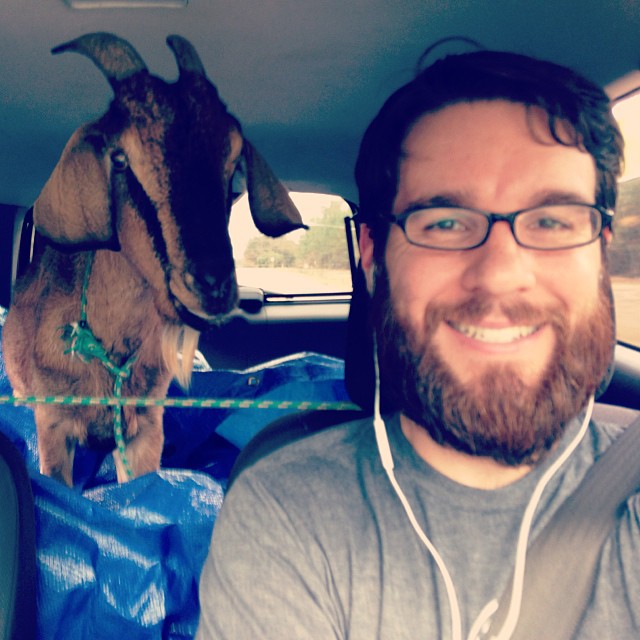
Gus wants to come in

Gus looking in the window

Veronica and Woody Cuddling

Veronica and Woody cuddling on the couch

Betty the Contortionist

Betty the Contortionist

Abi doesn't look impresses

Abi, impressed as usual.

Archie

Archie taking a nap

Moose on the cat-tree

Moose on the cat-tree

Midge

Midge... curious as a cat

Jughead - Exposed

Jughead, exposed!

Tags: , , , , , , , , , ,

Related posts:

  1. Merry Christmas 2009
  2. Sermon Outlines – A Better Idea
  3. Photo Tag
  4. OpenDNS: Protect Your Family Online (free)
  5. Blueberries…
  6. Original or Not? (My Response/Reaction)
  7. To Florida and Back Again

Call to Dunkirk

January 19th, 2009  |  Published in theology

Today a friend of mine sent me a link to Voddie Baucham’s blog post called “Call to Dunkirk“. The Call to Dunkirk is a call for all Christians to remove their children from public school and start homeschooling (or maybe private Christian schooling).

Here is the video:

The video starts by comparing the U.S. Education system to Nazi Germany (hence the Call to Dunkirk a battle in World War II). The absurdity does not end there, these are my two favorite quotes from this video:

If you ask me, we need to march some more, and the first place we need march is right out the front door of those Christ-dishonoring, academically inferior, soul-killing government indoctrination centers… – Voddie Bauchman

First, referring to public schools as “academically inferior” is opinion at best… many brilliant people have come out of the public school system. Second, referring to public schools as “soul-killing government indoctrination centers” is hardly Chirst-honoring. I went to public school, my soul has not be “killed”. In fact, I was saved while I was in college.

the scripture unambiguously teach that the education of children belongs to the family with the assistance from the church, not government, particularly at the K-12 level… – E. Ray Moore

Moore is completely off on this. The Scriptures do not “unambiguously teach” this doctrine. In fact, the Scriptures never even mention K-12!

If I were to judge, strictly by this video, I would say that these people have a bigger problem with trust in God and Scriptural inerrancy than they do with public school. To me, this video does not portray the Love of Christ. It instills fear into the watcher – which is not from Christ. It is also judgmental and absurd in its logic.

Please share with me your thoughts on this video, whether you agree or disagree. I am not against home-schooling at all. I am against this extremist position that purports lies and fear, instead of love and fairness.

Just my thoughts.

Tags: , , , , , , , ,

Related posts:

  1. Christians and Lobbying – Part 4
  2. Christians and Politics – Part 2
  3. On Milk & Meat
  4. A Heretic’s Prayer
  5. The Sit Down…
  6. A Disturbing Trend… – Part 1
  7. A Good Muslim vs. A Good Christian

OpenDNS: Protect Your Family Online (free)

November 17th, 2008  |  Published in technology

OpenDNS is a very simple DNS solution that anyone can use and I would recommend it to anyone. DNS stands for Domain Name Service. It is basically the service that makes the internet work the way that it does. If it was not for DNS, you’d have to remember 74.125.45.103 to get to Google’s Website or 74.208.80.98 to get the The Pursuit’s website.

I have known about OpenDNS for a long time now, but never looked into it for several reasons. But recently I found myself in the need of an alternate DNS solution. The functionality OpenDNS offers is leaps and bounds over what I expected to see. The most important thing that I think you will find useful is it’s ability to filter content. You can set different levels of protection to prevent things like porn on your network. I think this is great because it relatively transparent (although there are always ways to get around these things). But if you have a child who frequently uses the internet you can use this as a primary way to help prevent accidental or intentional website browsing.

Here is a simple tutorial:

Go to www.OpenDNS.com and click the “Home Network” tab at the bottom of the page.

Go to www.opendns.com and click Home Network

Go to www.opendns.com and click Home Network

You should be at the Home Network page, read it if you wish, but ultimately you’ll want to click the “Start using OpenDNS ->” link on the right hand side of the window.

Click the "Start using OpenDNS ->" button

The next page is Step 1 of 3: Change DNS settings). It will ask you an important questions, “Computer” or “Router”. Last night I choose “Router” for several reasons. This step may confuse some of you, so let me try to explaint he difference. The “Computer” is merely choosing 1 computer. So if you have a single desktop that all your family uses, this may be a perfectly valid option for you. However, if you have DSL or Cable Internet, then you probably have a router built into your modem. Your Internet Provider should be able to provide you with more information about this, but OpenDNS makes is very user-friendly. Choose the option that suits your needs.

Choose the option that suits your needs

In this screen you are asked what system or device you use to connect to the internet. If you chose “Computer” on the previous screen you are given a list of possible operating systems or specific devices that you may want to setup. If you chose “Router” you are given a list of common routers people use. Choose the option that suits your needs (I choose 2Wire because my ISP provided me with a 2Wire brand router).

If you chose "Computer"

If you chose "Router"

Open DNS provides you with great screen shots explaining everything you need to do to update your system ot use Open DNS. Sometimes it takes a few minutes before the changes take effect, which may effect your ability to access the internet – this is normal – do not panic! Last night one of my machines had an issue with accepting the changes, I just rebooted it and everything was fine. After you follow the directions, click “Continue to Step 2″ at the bottom of the page.

If you chose "Computer" > "XP"

If you chose "Router" > "2Wire"

Here you will be asked to create an Open DNS account. This is completely optional if you merely want to use Open DNS as an alternate DNS solution. However, it is required if you want to use the added functionality of Open DNS (such as porn filtering). Enter the relavant information and click submit.

Enter the relavant information and click submit

It will send you an email to confirm your account.

It will send you an email confirmation

Check your email and click the link to confirm your account request.

Check your email and click the confirmation link

It should log in into your Open DNS Dashboard automatically. If not, you will be ask for your username and password.

Login with your username and password

Your Dashboard is where all the magic happens. Here you can change your settings to filter your web content. You should see a message that reads, “You haven’t added a network yet. Add one now…” click the “Add one now…” link to get started.

Add a new network

The next screen should automatically fill in your IP address. If this is correct, then click “Add This Network”. If you are unsure, you can go to http://www.ipchicken.com/ to verify your IP Address.

Verify your network address

You will receive a popup message asking your for more information. First, you need to enter a name for the network, like “Home” or “Work”. Second, it asks you if you have a Dynamic IP. You probably do, so you can leave this checked – unless you know you don’t. The third option is to download and install the OpenDNS Updater. The third option is completely optional to you and depends on where you’re intalling the program. For instance, if you install it on a laptop that you use outside of the house, it will mess up your OpenDNS settings. When you leave the house and get a new IP your house will no longer be using the OpenDNS settings. So I would recommend only installing this on a computer that stays in your house and stays on your network. The down side to this is that you’ll have to periodically check to make sure that your IP hasn’t changed (or ask your Internet Provider for a static IP). Once you have completed these steps, click “Done”.

Name your network

This next screen will confirms the network you just added. From here you can click the “Settings” tab or button on the Network you just added to change the filtering settings for your network.

Click "Settings"

Finally, the last step! This is where you can setup your filtering options. OpenDNS provides you with several options, the default option is “Minimal” which protects you from Phishing attemps. It goes up from there with, Low, Moderate and High. The best thing about this is you can customize each setting. So if you choose High but want your children to be able to use Facebook, just click “Customize” next to High and uncheck “social networking”. This will allow all social networking sites through the filter.

Choose the desired protection level

I am extremely impressed with the service that OpenDNS offers for its subscribers. Not only does the service act as a great alternative to ISP DNS, it provides a fresh set of tools for protecting your network and family. As a relatively simple and FREE solution it is definitely something you should consider adding to your home network. As with anything, there are always ways around any protection, but this can be another tool in your toolbox to prevent your children from accessing adult or unsafe content. Did I mention this is free?

If you have any questions or need any help, please comment and I’ll try my best to answer your questions.

God Speed. Read the rest of this entry »

Tags:

Related posts:

  1. Our Animal Planet
  2. Photo Tag
  3. Free iPhone? Why Not…
  4. Sermon Outlines – A Better Idea
  5. Original or Not? (My Response/Reaction)
  6. Welcome to the Family…
  7. Review: Sleep Cycle

Athens & Woody Update

September 8th, 2008  |  Published in news

ATHENS

The past two weeks have been hectic for us. As many of you know we have been in the process of moving to Athens. Well, I was finally able to close on our house August 29th. My wife and I moved from Dublin to Athens August 30th after a horrible experience with UHaul (I will never use them again). To make a long story short, if you reserve a 17′ truck at 8AM in your town, you should expect to get a 14′ truck at 10AM in a town an hour away. We expected to have everything loaded up and be in Athens in the afternoon. Instead, I found myself unloading our truck at 11PM to get our mattress out so we could sleep that night. By the way, I’ve never had this issue with Penske or Budget. But, we’re moved in, we still have tons of boxes to unpack, furniture to move around, and all sorts of things to get situated.

WOODY

Last Tuesday we took Woody to the Vet Hospital for an overnight. He had to have an MRI Wednesday morning. The good news is that the MRI came back positive. His brain is fine, his spine is fine. The bad news is that Woody is still broken and no one knows why. The doctor said that it is probably a genetic condition – pretty much uncurable. They took a urine sample and discovered a high keytone level (which is usually found in diabetics). But he doesn’t have diabetes. So they are sending the sample to California to find out if there are any oddities. We started to change his diet a little to up his protein and we’ll have to probably put him on a multi-vitamin. But basically, unless California finds anything, Woody will remain the same. Of course God could always do something miraculous. I know you’ll all probably laugh at me, but the night I closed I went home and put some oil on Woody and prayed over him. It hasn’t really changed anything with Woody, but I felt like I should at least do it, since we are told to have Elders come and anoint us with oil and pray over us if we are sick (James 5:14). We’ve also been looking into getting Woody some booties so he can grip the wood floors in our house better.

I think that’s all for updates.

Your prayers are always welcome.

Tags: , ,

Related posts:

  1. Woody – Update
  2. Woody… the special one
  3. Update – Where have I been?
  4. New Blog – Kinda
  5. No Weekly Update Today…
  6. What was Lost?
  7. 5 Things I am Thankful for…

Woody – Update

August 19th, 2008  |  Published in news

Well, Kati brought Woody to the Vet this morning. He did another x-ray and found that the object had moved and was almost passed. He was able to get it out and found that it was not a piece of metal at all. It was a small rock. So that’s kinda good news… but the bad news is that it looks like Woody has a neurological issue.

We’ll have to take him to a neurologist to see what they can do. Luckily for me I work for UGA which has one of the best Vetrinary facilities and their own Pet Hospital section with three Neurologists on staff. Hopefully we can get to the bottom of this soon and get Woody some help.

Tags: , ,

Related posts:

  1. Athens & Woody Update
  2. Woody… the special one
  3. Update – Where have I been?
  4. No Weekly Update Today…
  5. 1 Year Ago Today…
  6. Resources, Conversions, and Priorities…
  7. Beagles vs. Bulldogs